How to Register and Start Staking
A complete step-by-step guide for beginners to register, fund and start staking your Bytnex contracts
A complete step-by-step guide for beginners to register, fund and start staking your Bytnex contracts
If you're new to Bytnex, don't worry! This step-by-step tutorial will walk you through everything you need to know to register, deposit funds into your Bytnex account and start staking.
By the end of this tutorial, you'll understand the simple process and begin your exciting journey with Bytnex.
Registering with Bytnex is easy. Simply fill out this quick form and your Bytnex journey officially begins!
Welcome to the Bytnex community. You have made a great decision!
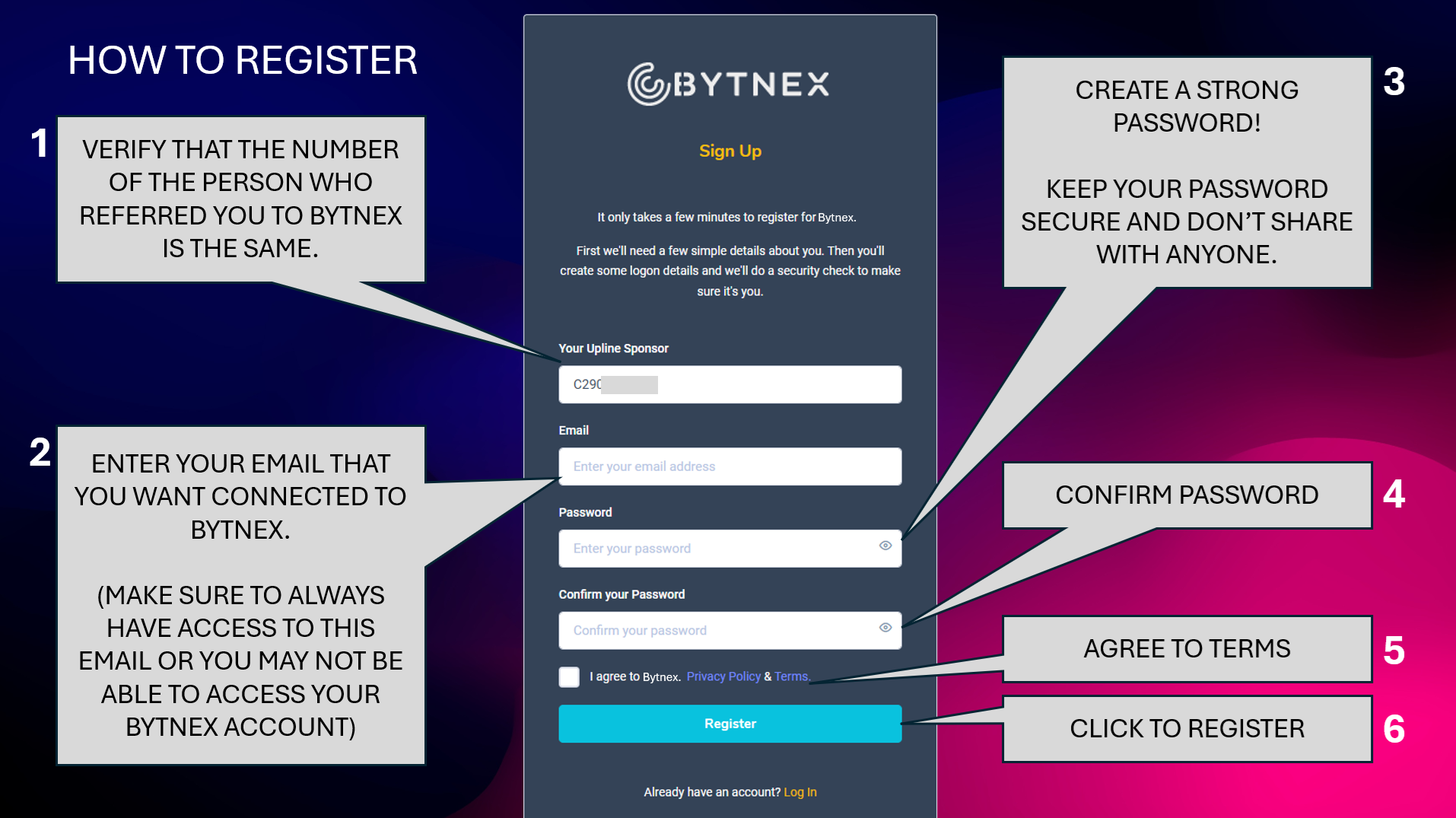
Make sure the number of your sponsor is correct. If it is not the same, simply enter the proper number to be connected with your sponsor.
In this section we will assume you have completed the process of setting up a crypto wallet like Coinbase and deposited funds into that wallet per the step-by-step guide we provided. If you have not yet done that, please complete that process first and then come back to this tutorial.
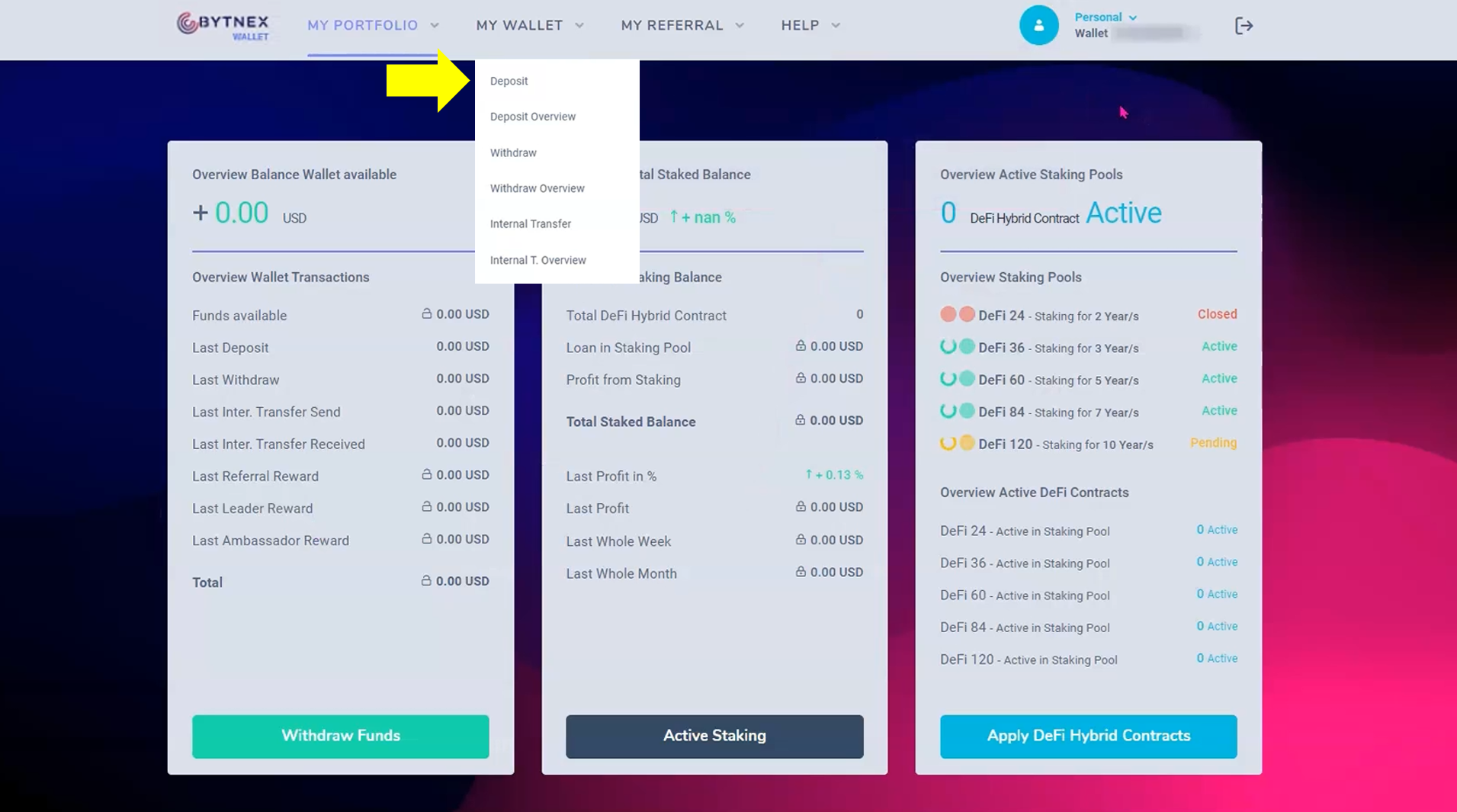
This is what your backoffice looks like when you first log in after registering. At the top is your main navigation around the site. The following are the main sections.
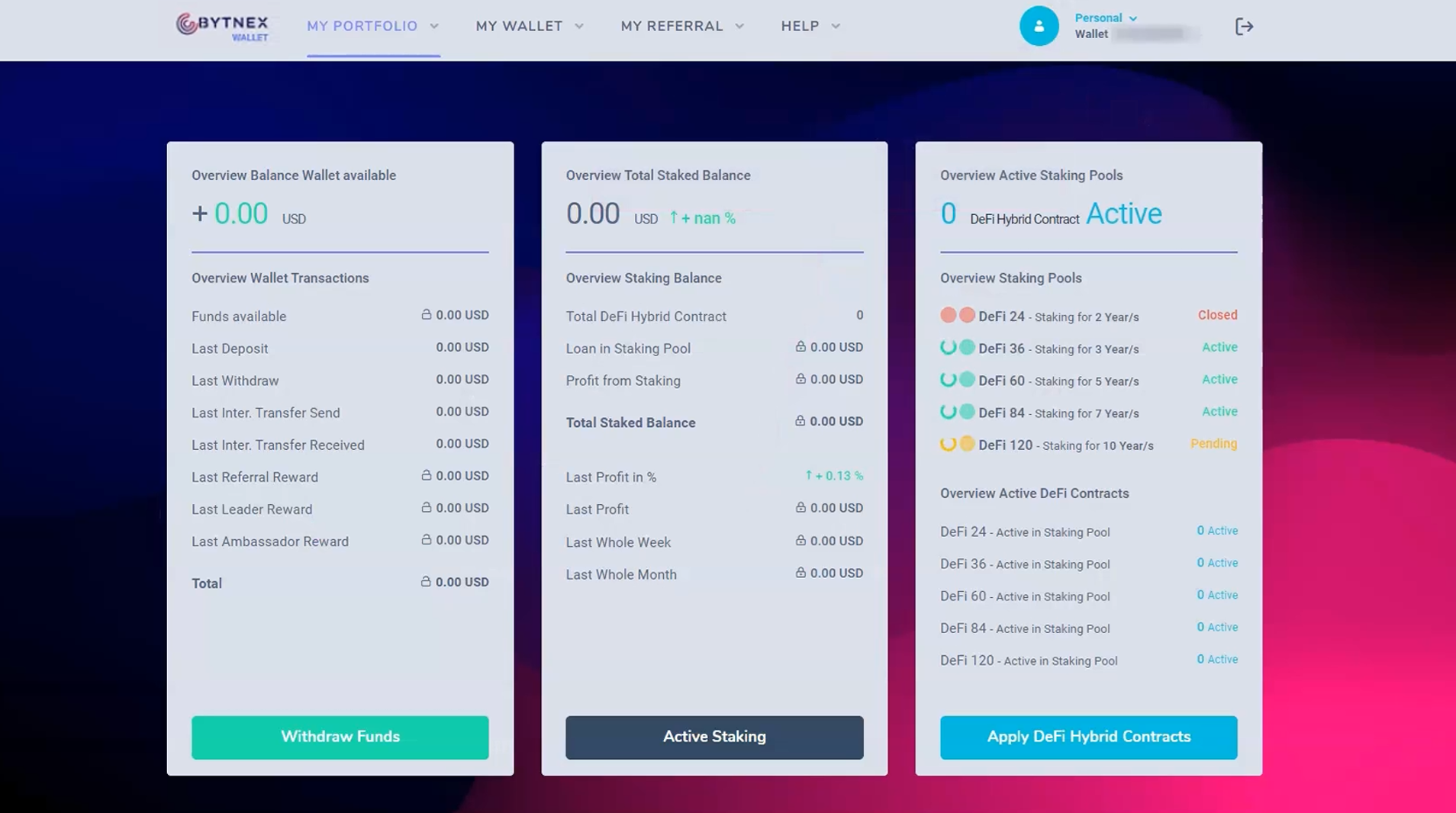
Let's get funds into your account!
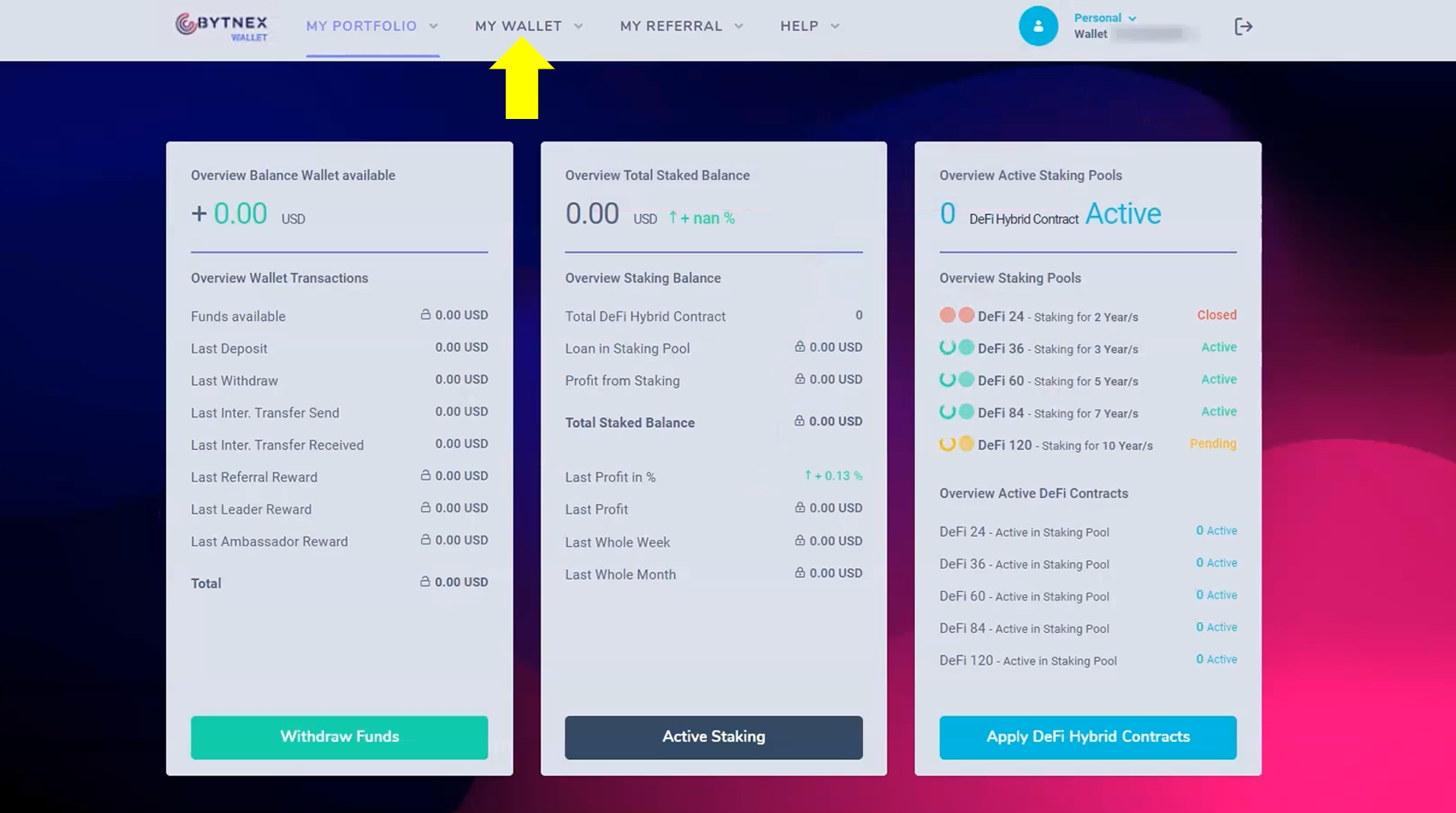
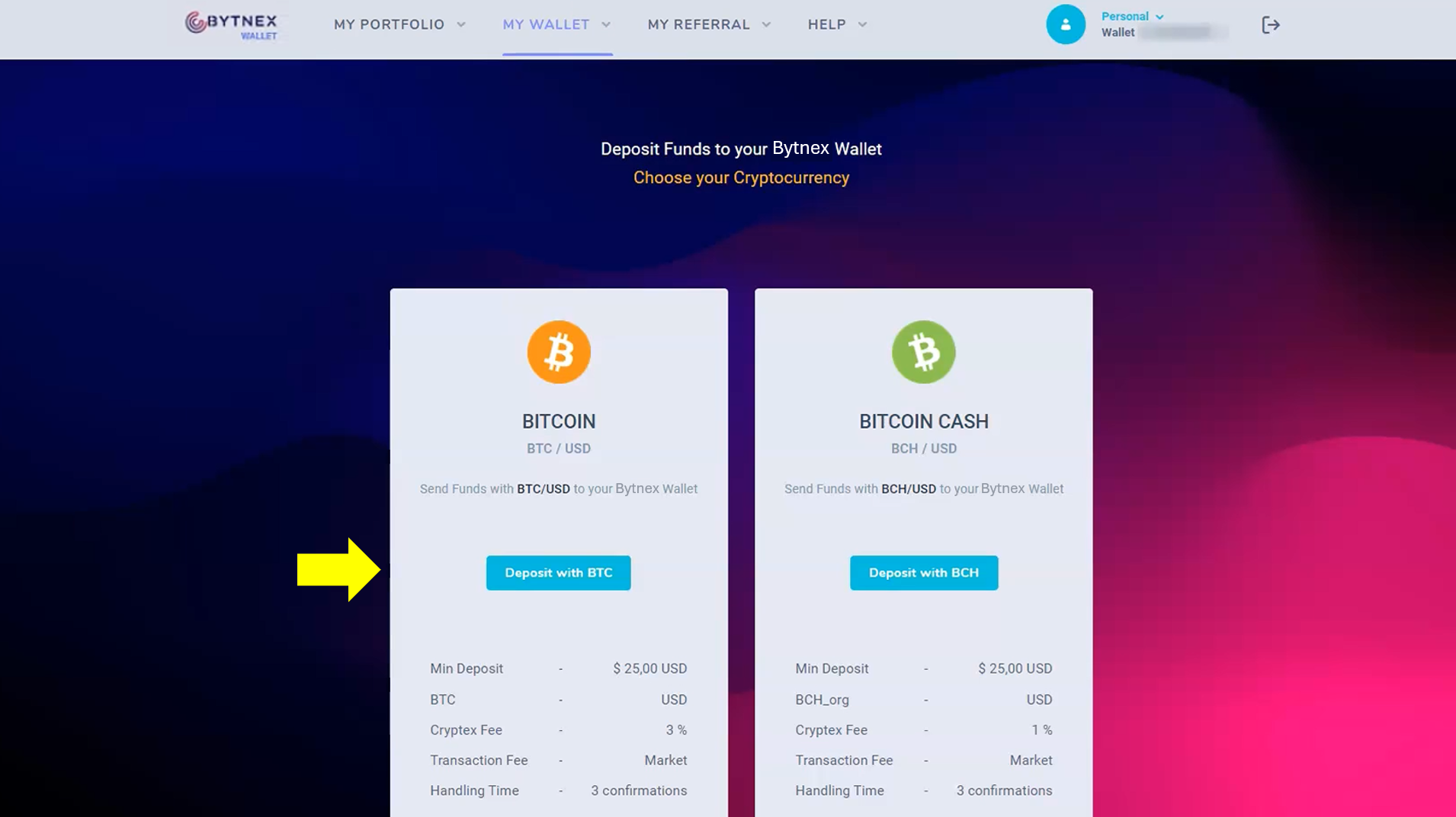
This opens a page where you will select the type of cryptocurrency you will deposit from your external crypto wallet. In this tutorial we will use Bitcoin, but you can use any cryptocurrency Bytnex has available on this screen.
The next screen that opens will allow you to determine how much Bitcoin you wish to deposit into your Bytnex wallet. In this tutorial we will demonstrate how to purchase 20 contracts total; one "pack" of 15 contracts for $1,000 (10 at $100 + 5 free), and five individual $100 contracts for a total needed of $1500.
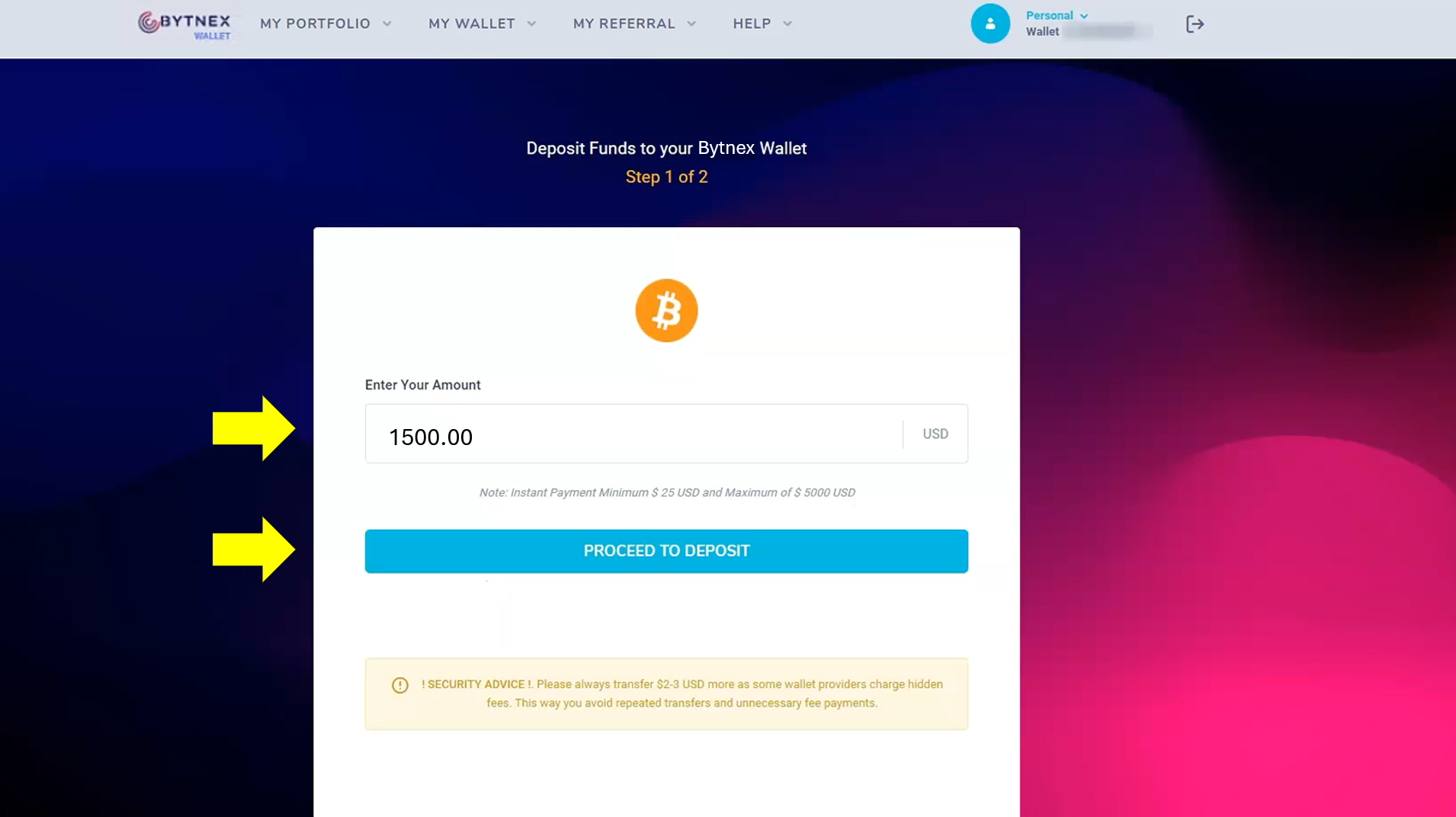
Due to the fluctuation of the Bitcoin price during the 10-minutes it could take for the transaction to complete, you may wish to deposit a couple bucks more of Bitcoin to make sure you recieve at lease $100 worth of Bitcoin for your first contract. Otherwise you may have to deposit a second time and pay the additional blockchain processing fee.
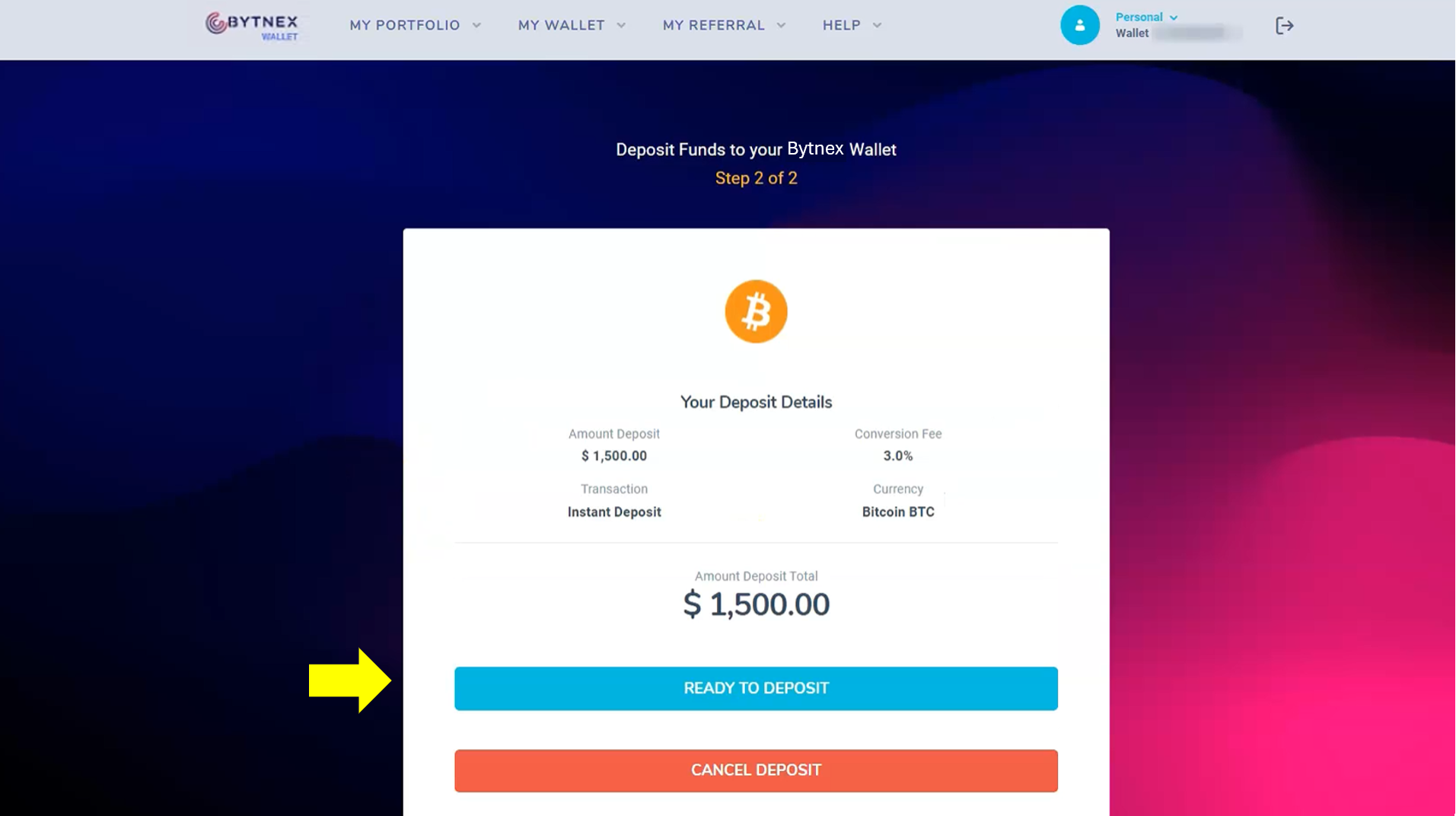
The next screen that pops up shows how much Bitcoin you are telling the system you will deposit.
Before we talk about the next two screens, we want to make sure that those of you that have little or no experience using cryto wallets understand the importance of accuracy when dealing with cryptocurrency transactions. Typically when you purchase something you just swipe a credit or debit card and don't even think about it. That's not the case in crypto. You need to carefully and accurately compose the terms of the transaction yourself. You are in control when using cryptocurrencies! YOU set the amount and YOU tell the system where to send that amount. If you enter any incorrect information, it's on YOU! There is no one to call and reverse your mistake. So, just always remember when dealing with crypto wallets to double check the transaction terms are correct.
Alright, this next screen provides the amount of Bitcoin you are going to send from your external wallet to your Bytnex wallet. It also provides an address where you will send that Bitcoin. Simply copy and paste the Amount and Address directly from here and into your external wallet's "Send To" transaction window.
To help you clearly see what is happening here we've colored the amount in green and the address in red.
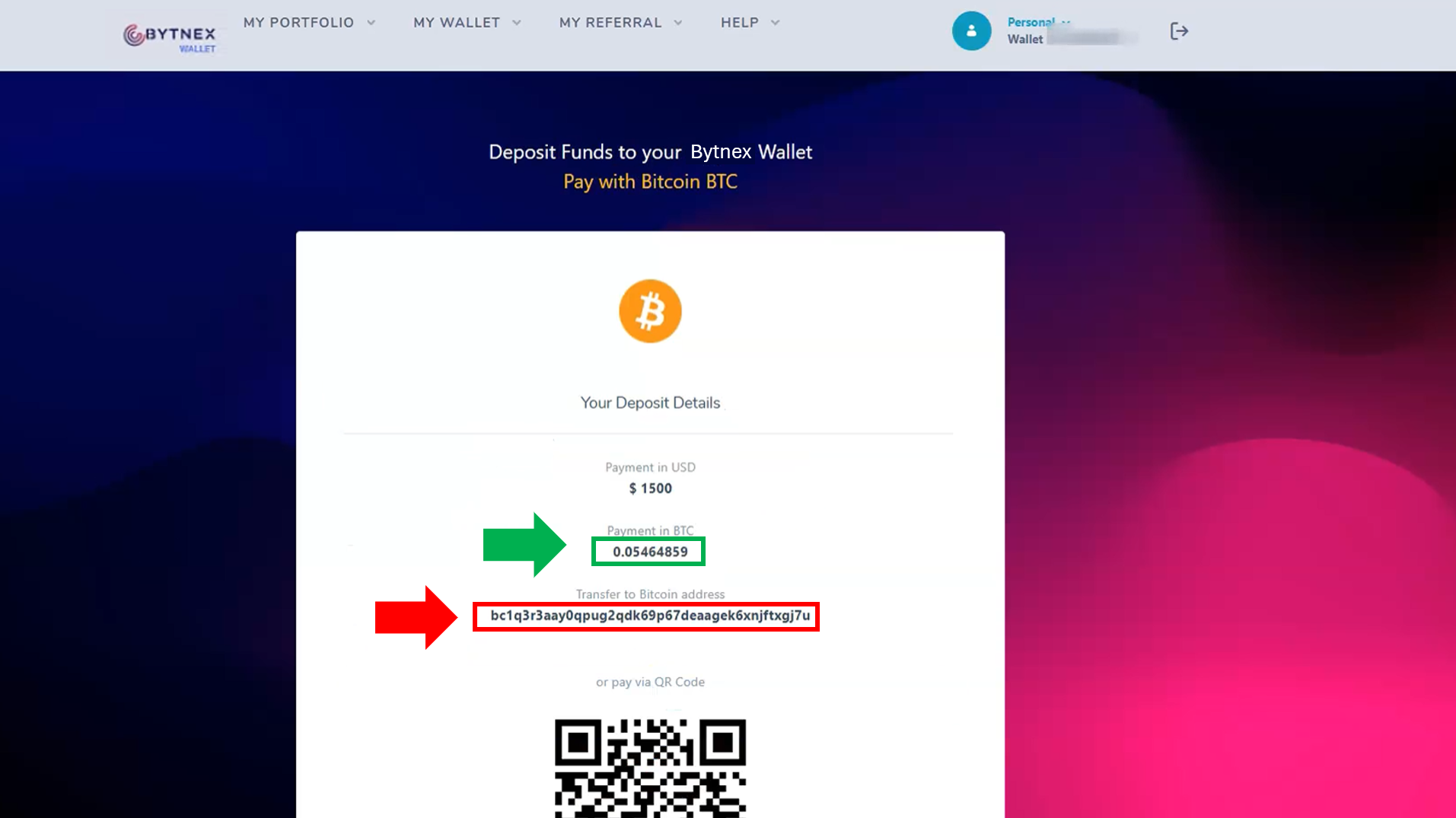
To insure that you send the right amount of Bitcoin, and that it will be deposited in your unique Bytnex wallet, we recommend that you copy and paste the amount and address directly off this page into your external cryptocurrency wallet "Send To" transaction screen.
The next screen is your external crypto wallet "Send To" window. You are not going to paste the exact amount and address into the appropriate fields.
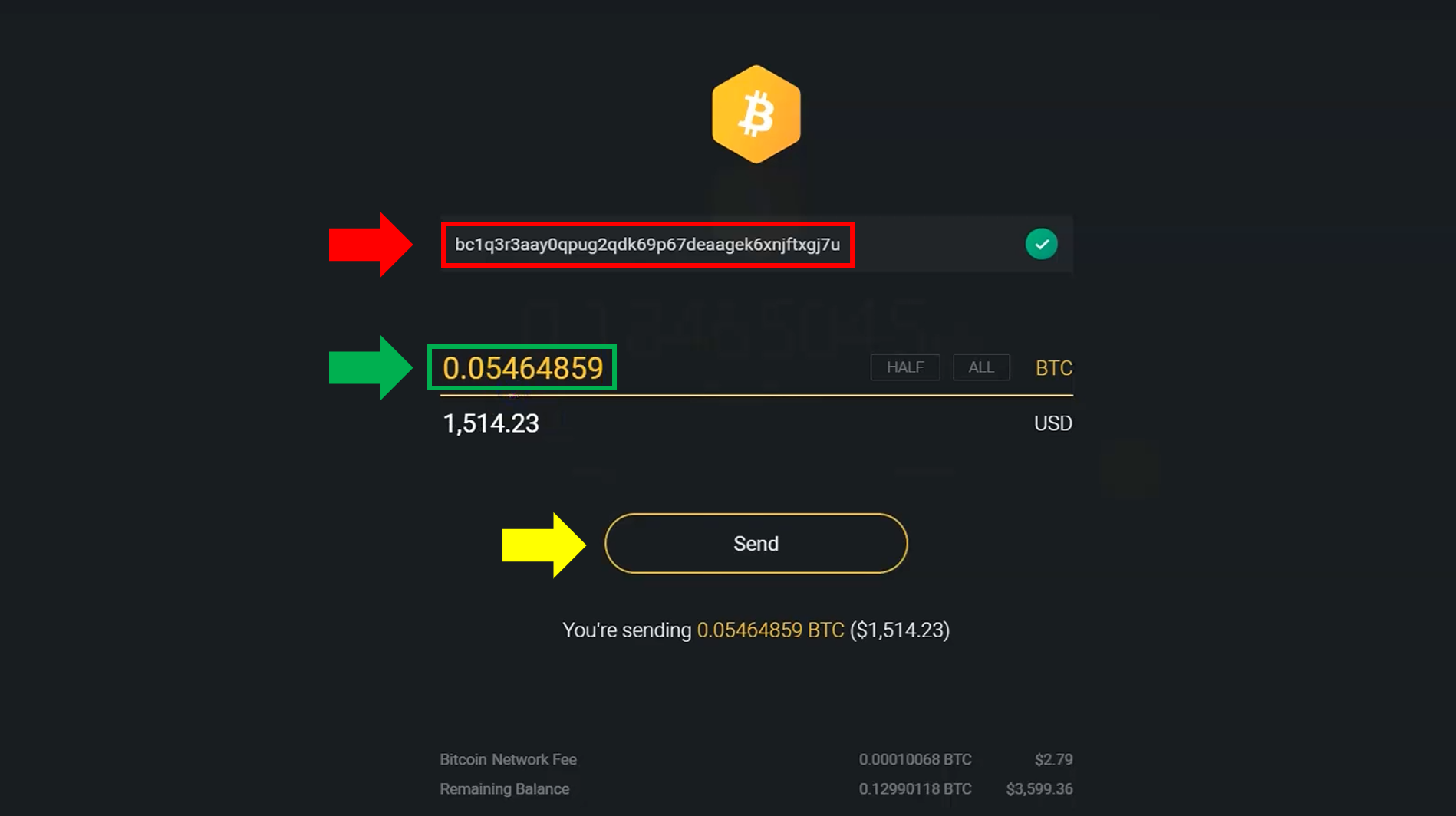
Do not panic if your transaction takes some time. The Bitcoin network verifies a block (collection) of transactions every 10-minutes. Sometimes transactions take a couple blocks to get confirmed. So, don't be surprised at times if it takes several 10-minute blocks to see your funds land in your Bytnex wallet.
Just like magic your Bitcoin from an external wallet has been successfully deposited (transferred) into your Bytnex wallet! And look at that, you're already making money. When you sent the Bitcoin it was worth $1,514.23 USD in the previous screen, and now in your Bytnex wallet balance it's worth $1,517.55! You just made $3.32 USD due to the price fluctuation in Bitcoin while your transaction was pending on the blockchain. (Sometimes it goes the other way where you need to deposit more to make up for a loss)
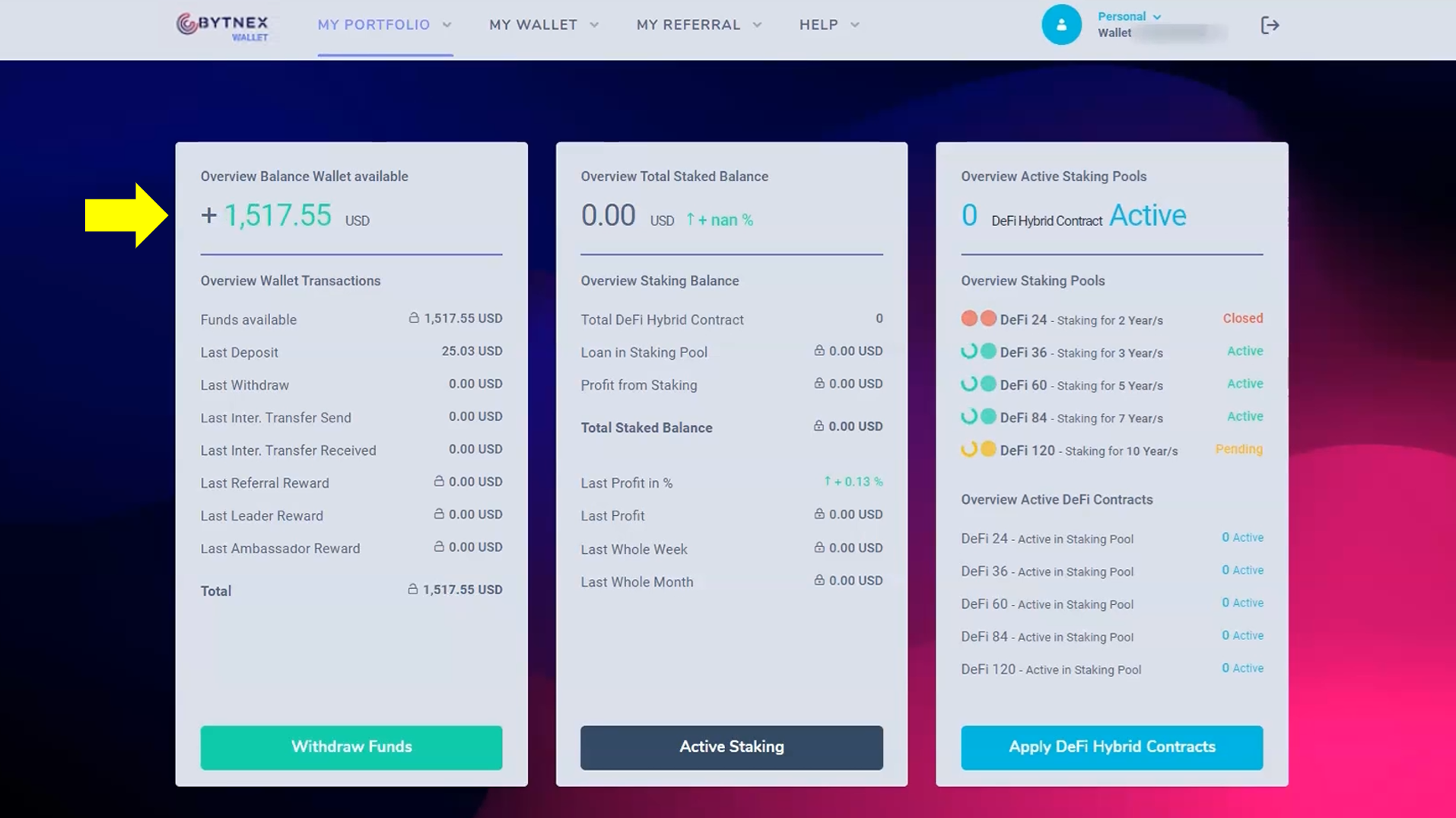
You just completed the most difficult process in crypto - sending and recieving money. It's all downhill from here! You are now ready to go to the final step in this tutorial of staking your Bytnex contracts.
The final piece of the puzzle is to get some staking contracts working. In this section we are going to put the $1500 to use by getting 20 staking contracts started. When all 20 of the staking contracts have matured in this tutorial after 60-months, the total value of those contracts will be approximately $2.3 million. This is the power of daily compounding in the DeFi staking and liquidity pool space.
On the right side of the screen we see that we have 0 active contracts. Let's change that.
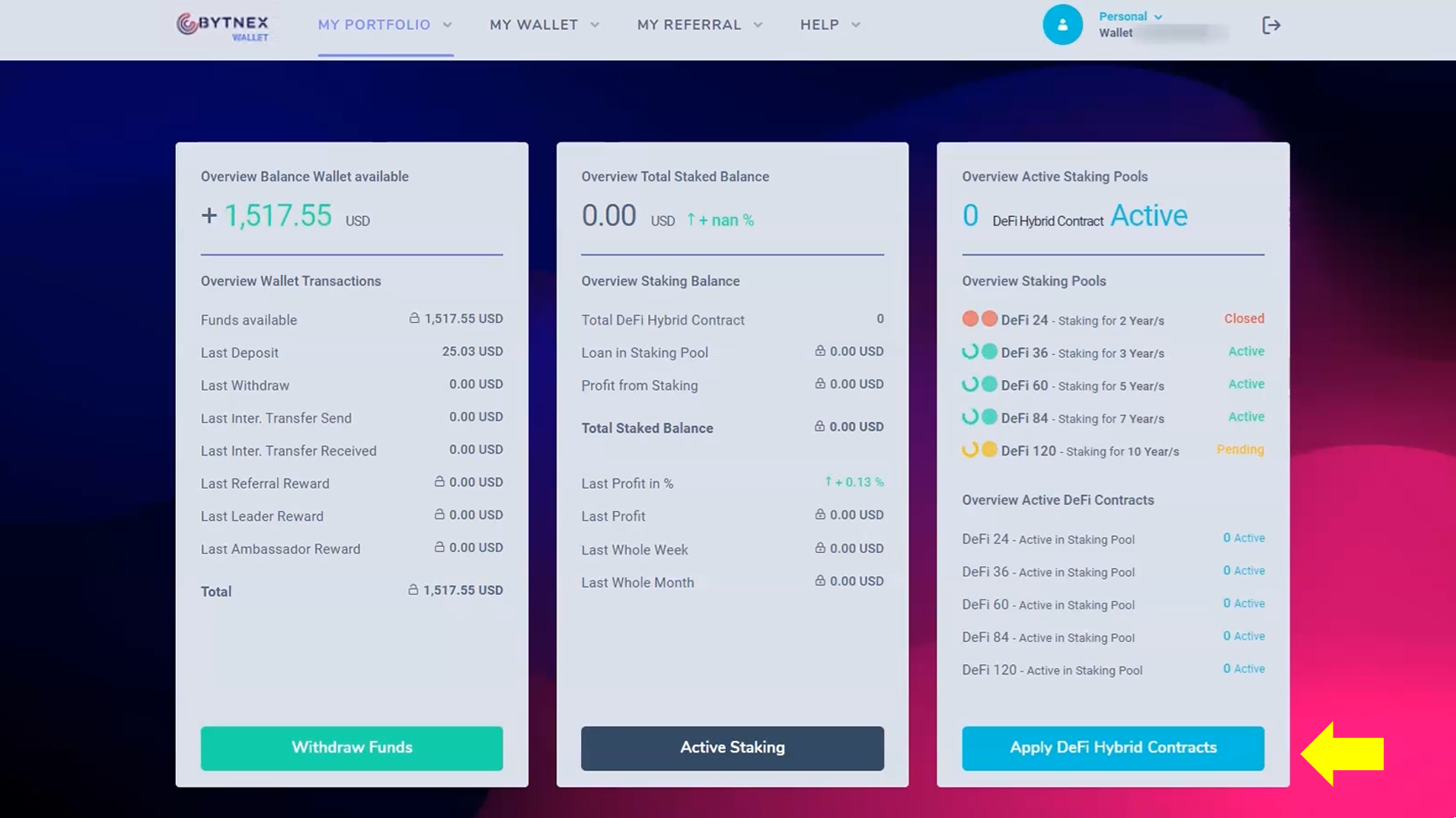
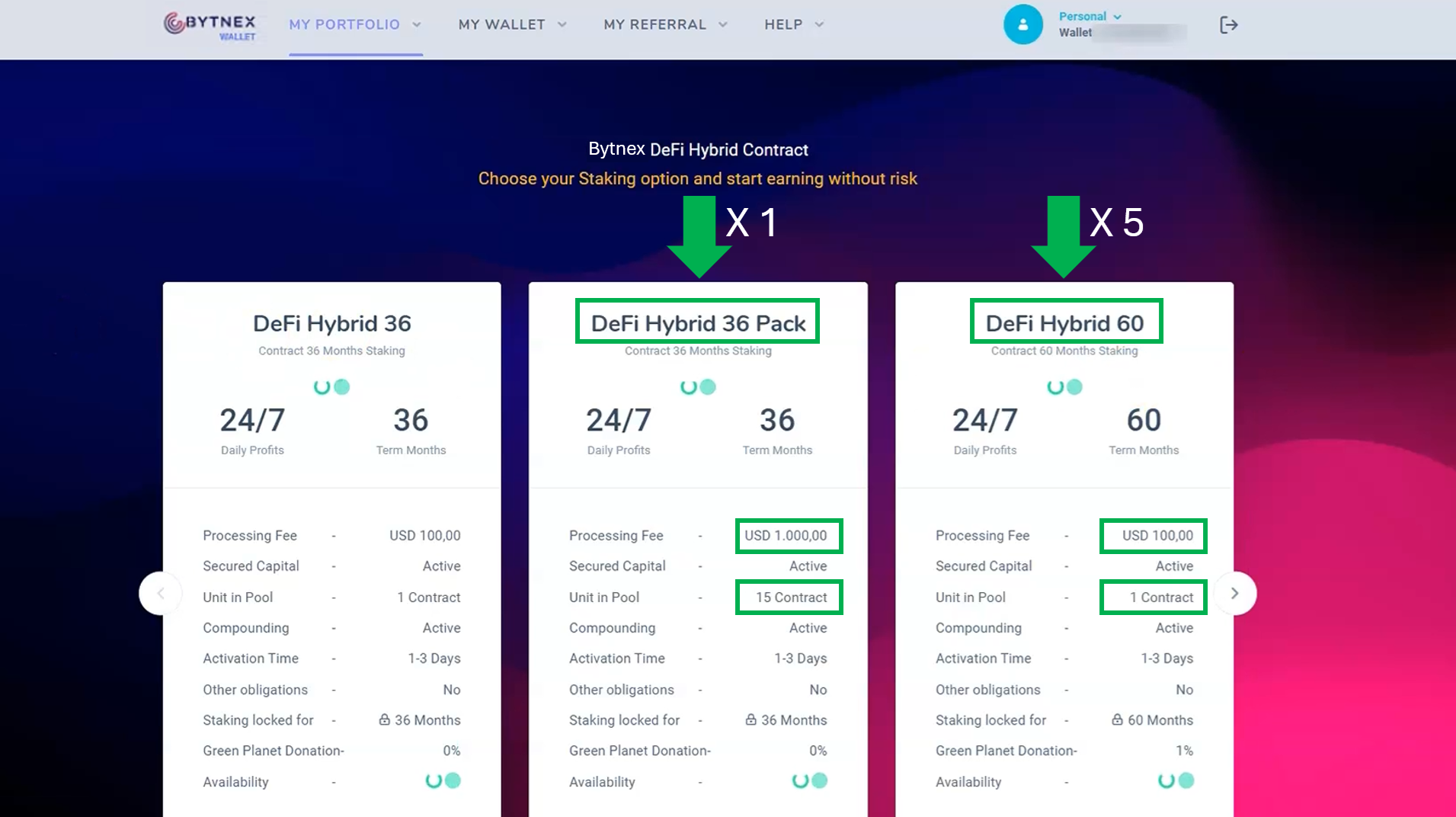
Here's what we're going to do. We have $1,500 USD to work with. We are going to activate 1 Defi Hybrid 36 Pack for $1,000, which gives us 15 36-month staking contracts, and then 5 Defi Hybrid 60 contracts at $100 each, for a total of 20 active staking contracts. Let's get the Defi Hybrid 36 pack started first.
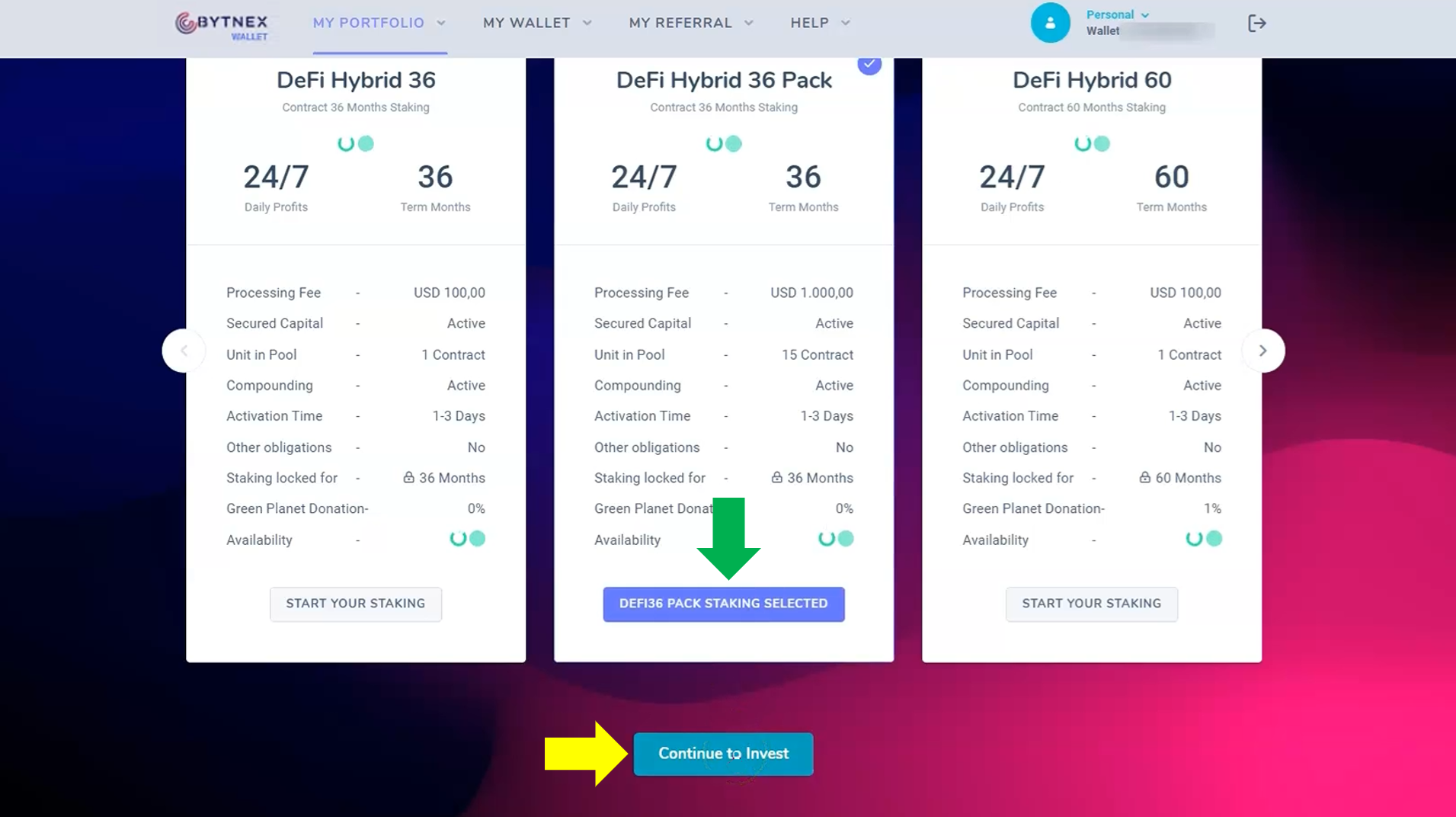
When you scroll to the bottom of this page you will simply click the button that says "Start your Staking" under whichever contract you wish to choose. In our case we will select the middle Defi Hybrid 36 Pack. When you click that button it changes to blue and says "DeFi36 Pack Staking Selected." Then, at the very bottom of the page simply click "Continue to Invest."
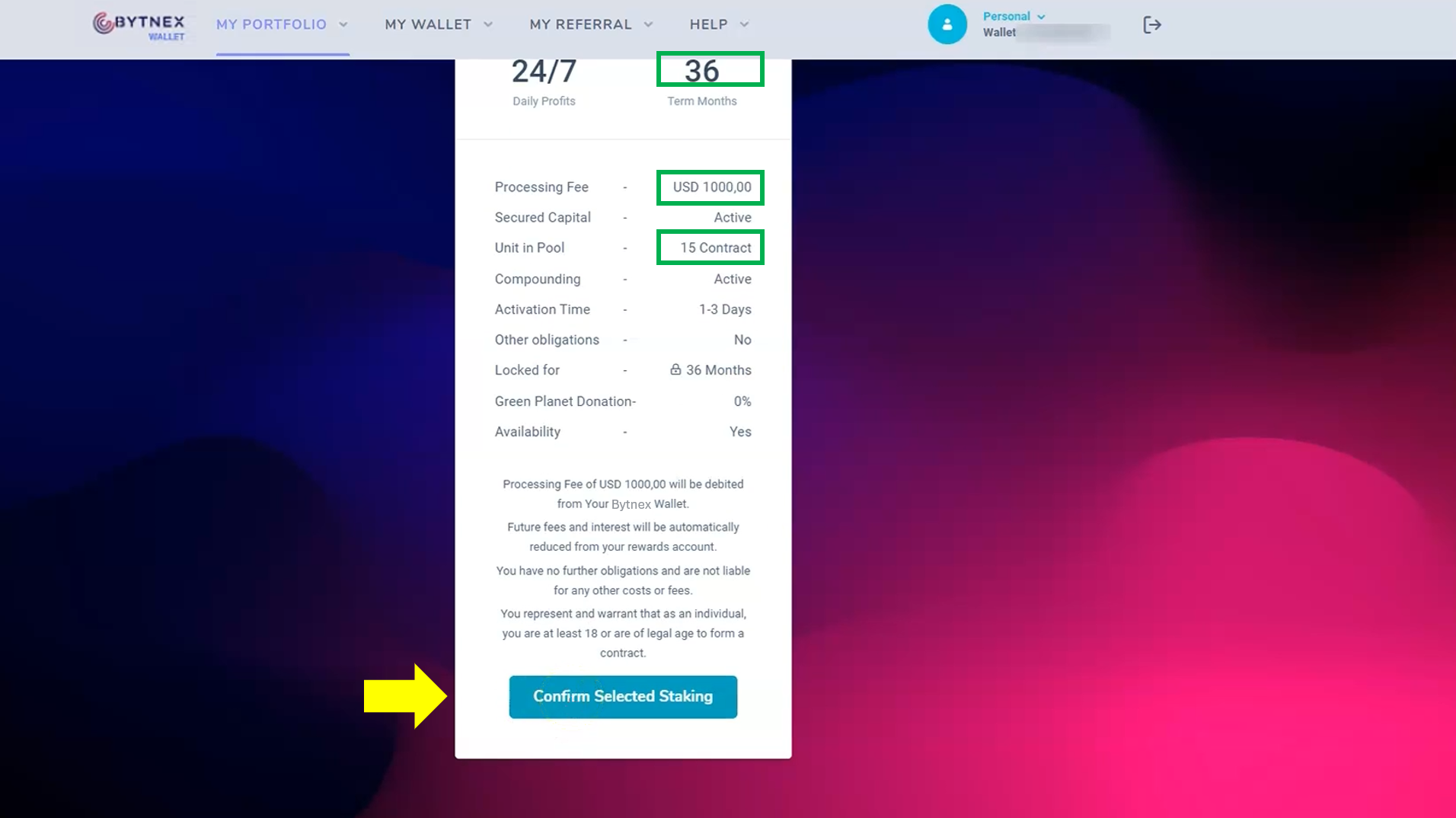
This next screen gives us one last verification that we have selected the proper contract. You will see the 36-month term, a cost of $1,000, 15 contracts that it will activate, and other miscellaneous information. Once we have verified this is exactly what we want to do, simply click "Confirm Selected Staking."
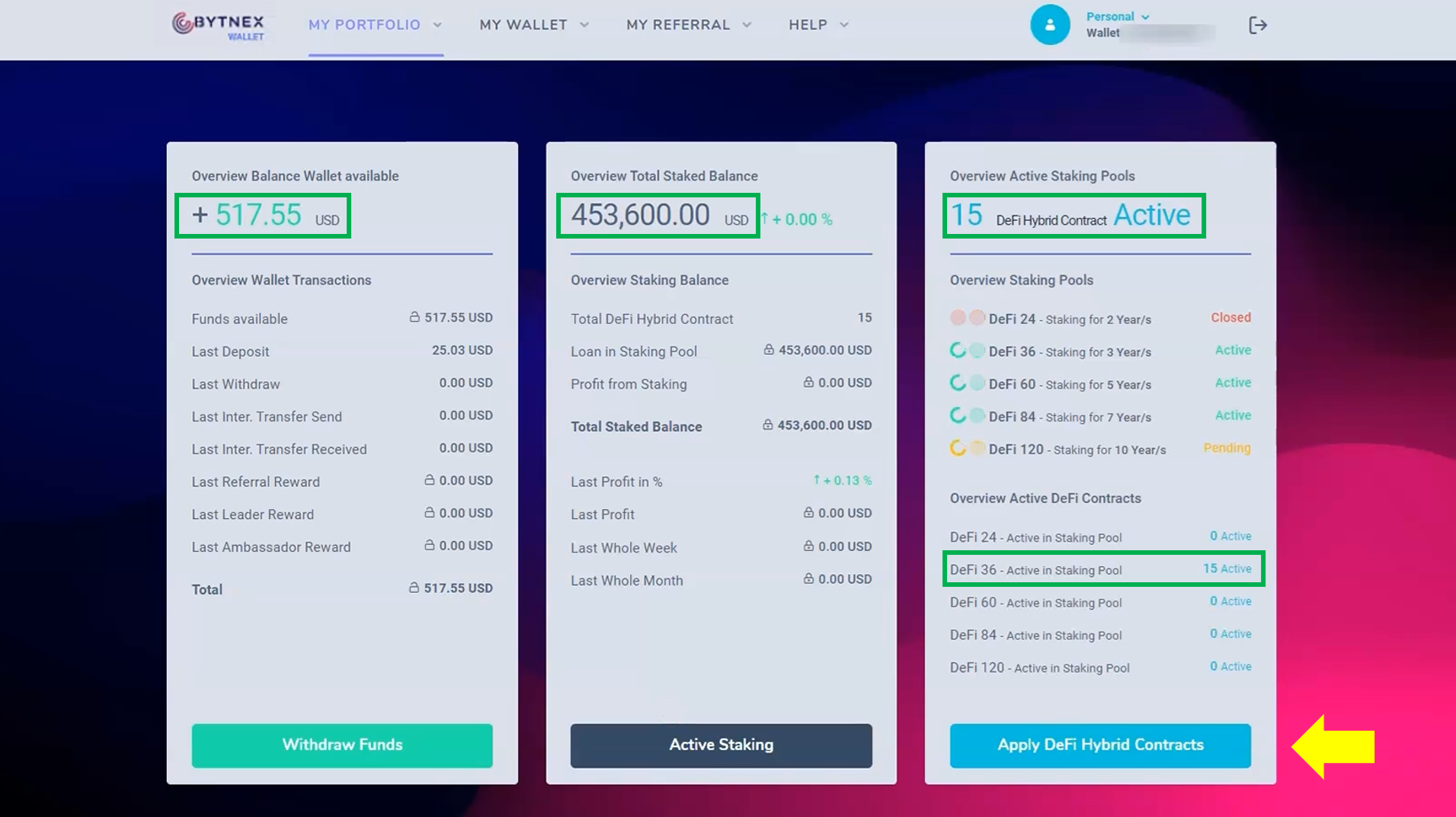
This brings us back to the main portfolio page where we see that our wallet balance has been reduced the $1,000, we have a balance of $453,600 USD total staked, and on the far right we see that our 15 staking contracts are now active in the pools. Now we are going to do the exact same thing five more times with the individual 60-month contracts.
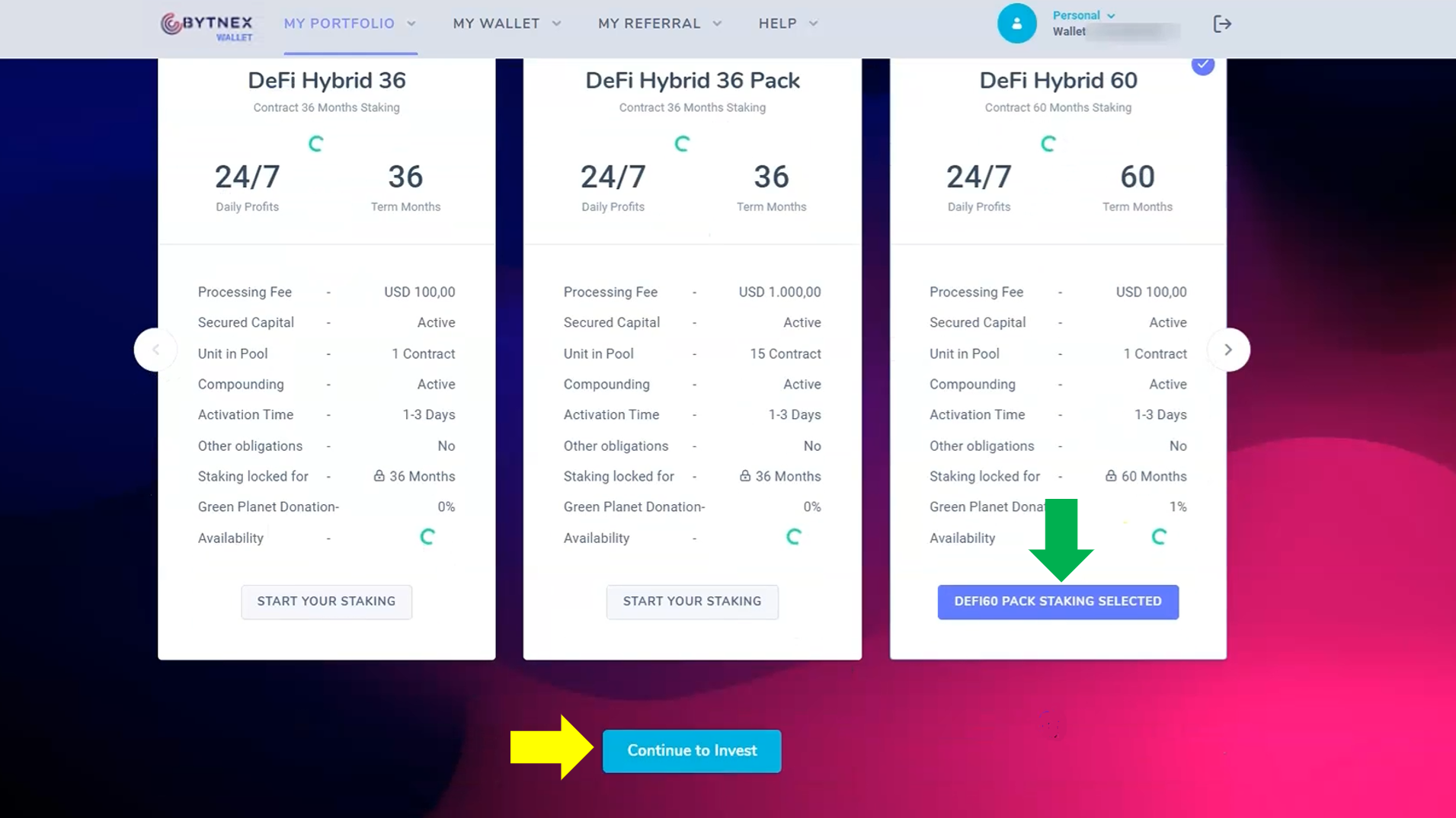
This again brings us back to the different types of contracts where we're going to choose DeFi Hybrid 60. Scroll to the bottom of this page and click the button that says "Start your Staking." The button will changes to blue and say "DeFi60 Pack Staking Selected." Then, just click "Continue to Invest" at the very bottom.
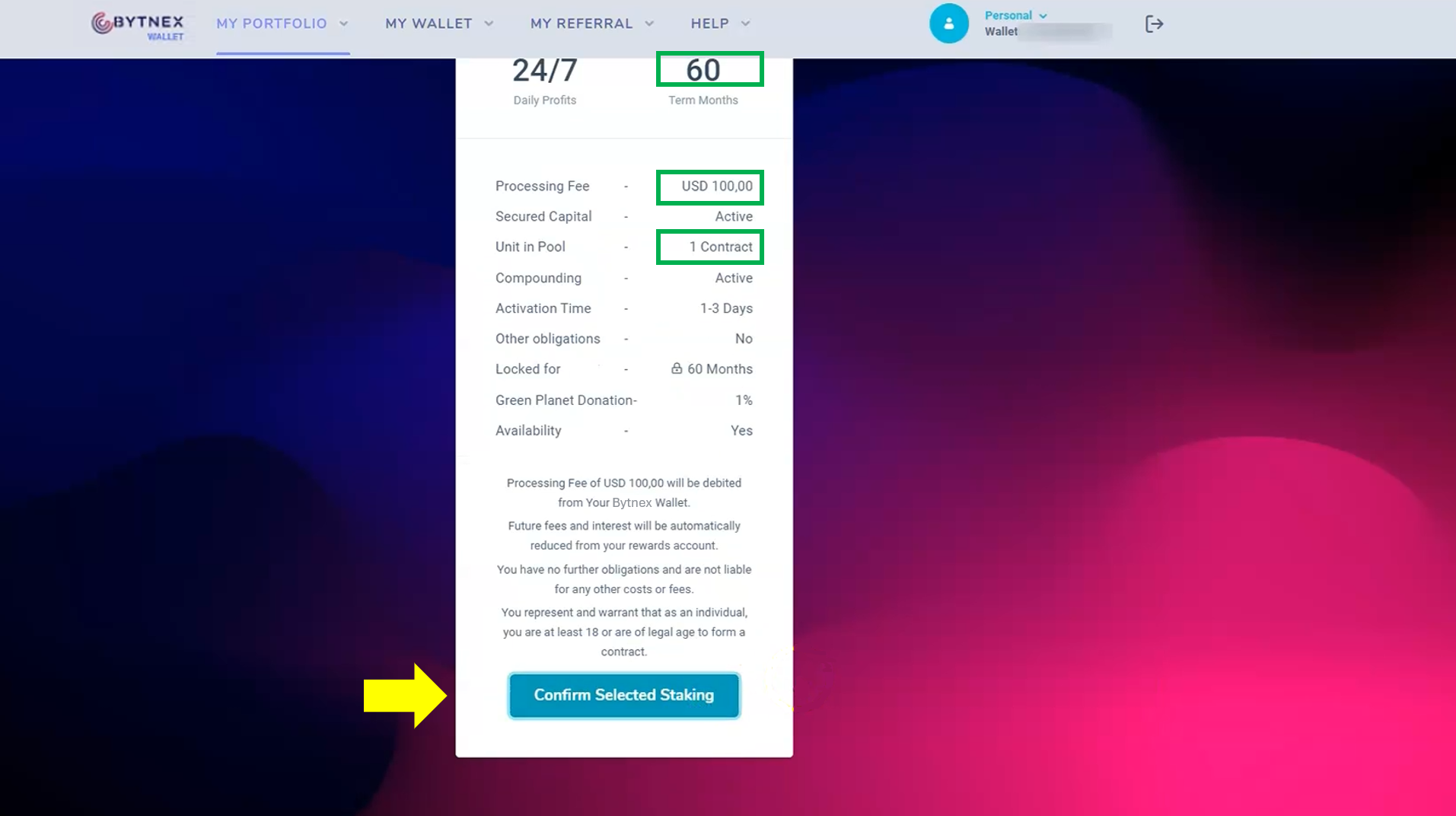
This again brings us to the verification page to make certain we selected the correct contract. We see that just one contract at a cost of $100 for 60-months will be activated. This is exactly what we want to do, so we'll simply click "Confirm Selected Staking."
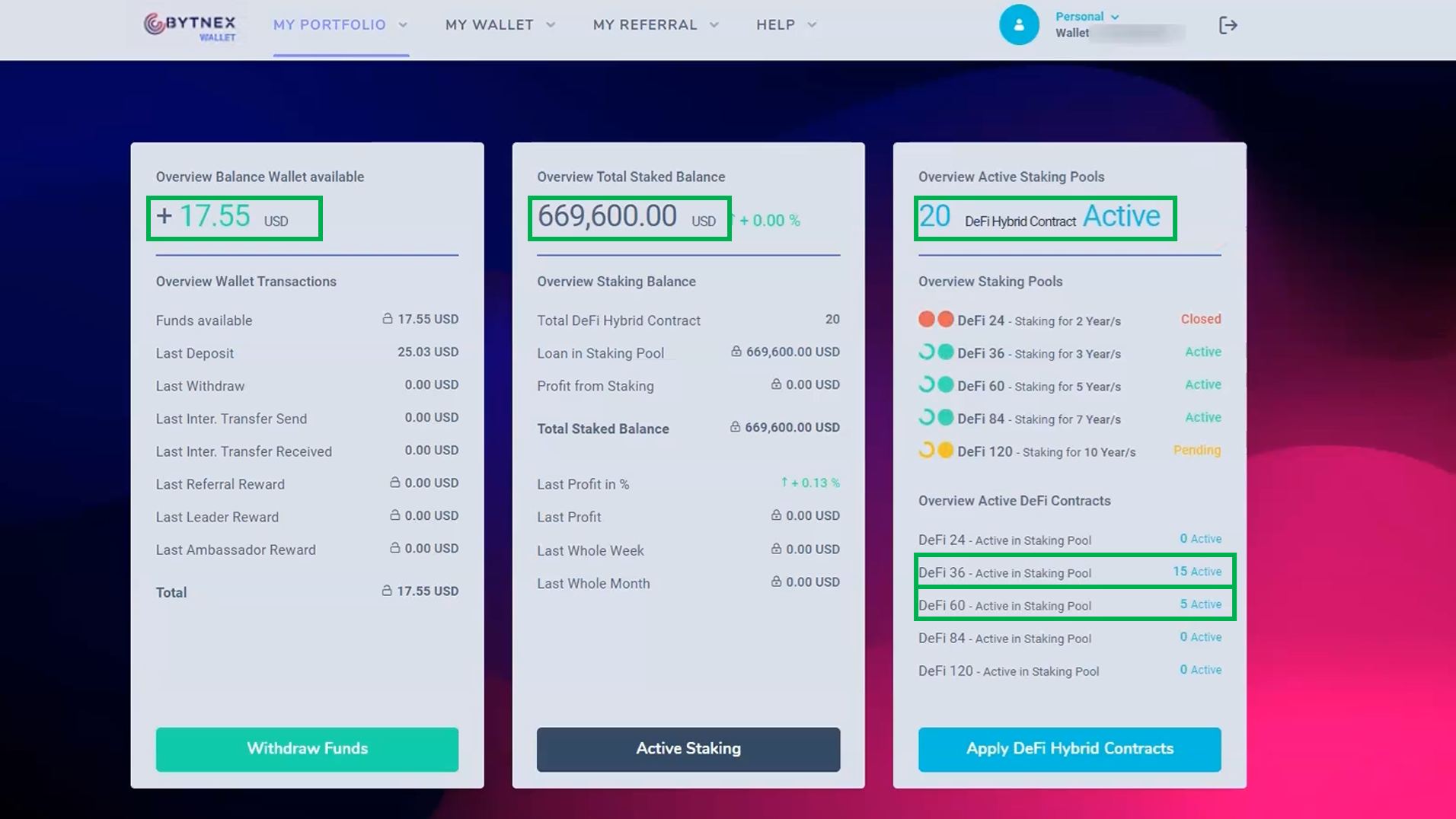
You're now staking your contracts with Bytnex. If you are new to cryptocurrencies you have just recieved a master class on how to interact within the crypto space. Most importantly, you now know how crypto transactions work. This truly is the biggest hurdle for people to overcome. So, what's next?
Remember, the Bytnex platform is just one tool in the digital asset ecosystem.
Now understand how to register and start staking, return to your referral page and start your journey today!
Return to Signup Page